Book an audit
Book a Decision Audit
Taking 1-2 new clients this quarter

Google Ads for eCommerce brands.

Search, Shopping and PMax for DTC stores spending $20k-$250k a month. Run on margin, by one person who knows which SKUs carry the account.

Book a Decision Audit

30 min, free. I reply within 24h.

Illustration of a doctor giving a checkup before treatment
Before you keep reading

What Google Ads for eCommerce covers.

Already know what you need? Skip to pricing.

Three campaign types do the work. Search catches people looking for what you sell. Shopping shows your products, driven by a product feed instead of keywords. Performance Max spreads across all of Google at once. How Google Ads works, in plain English.

Under all three sits conversion tracking. It tells Google what a sale is worth. New to this? Start with the Shopping ads guide.

Ad spend managed€13M+
Years, Google Ads only8+
Accounts audited100+
Clients max, always6
From first call to active management

Three ways in. Each one has an exit.

That's the entire menu. There's no enterprise tier. There is no enterprise.

01 · Start here. Everyone starts here.

Decision Audit

Free30 minutes

Screen-share, read-only. I show you what's wrong in the account. You decide what to do with it, including nothing.

Not a fit? You get a referral, not a follow-up sequence.

02 · If you want it on paper

Written Diagnosis

$1,500one-time

The problem named, fixes in priority order, what to expect at 30, 60, 90 days. Your team can run it without me.

Credited to month one if we continue.

03 · If I'm your operator 1-2 slots this quarter

Account Management

  • Weeks 1-4: rebuild, in priority order.
  • Every Friday: what changed, why, what's next.
  • Day 90: no better profit predictability, I end the retainer myself.
Starting at$2,500/ month

Scope set on the call, by spend and complexity.

What I do for an eCommerce account

Eight things. One person.

01

Search, restructured

Non-brand isolated, so blended ROAS can't hide the real number.

02

A Friday decision log

What changed, why, what's next. Forwardable to your CFO.

03

Shopping & PMax, contained

PMax on a leash until it earns trust. Shopping built around the SKUs that make money.

04

Feed & Merchant Center

If Google can't understand what you sell, it can't sell it.

06

Bidding pointed at profit

Target ROAS set from your breakeven, not Google's suggestion.

07

Budget, mapped by purpose

Brand, non-brand, scaling, testing. You see where every dollar sits.

08

Inbox access, to me

You write to me, not to an account manager.

Is this a fit?

Let's check before either of us wastes time.

If you're an agency rather than a brand, the partnerships page is the one you want.

This works if...

  • You spend real money and the numbers don't match the effort.
  • You want one senior person, not a rotating team.
  • You think in profit per SKU, not blended ROAS.
  • You'll share margin data. That's what makes the numbers real.

Probably not if...

  • You want the cheapest option.
  • You spend under $10k a month.
  • You want set and forget, zero calls.
  • You measure success in impressions.

Switching agencies? I handle the handoff.

I can step in as a consultant during your notice period, so the account isn't left alone in between.

Same method, eCommerce focus

Find the bleed. Then set the structure.

Two of the four steps. The two that matter most for Shopping-heavy accounts.

Illustration of a ledger showing account numbers
/01

"Where is my money going?"

First, find the bleed.

What counts as a real purchase, how much goes to brand search, which SKUs spend without returning, and your real breakeven ROAS.

What you getYour real numbers, most of them for the first time.
/02

"So what do I change?"

Then, set the structure.

Brand split from non-brand. PMax on a leash. Bidding aimed at breakeven, not Google's applause. Every fix ranked by the money it moves.

What you getA rebuilt account, and a Friday log that says what changed and why.
Illustration of a tailor measuring cloth
What gets checked · eCommerce

Same checklist. Sharper for Shopping.

Supplements, apparel, gadgets, home goods. Different margins, same method.

Feed & Merchant Center

Can Google even sell your products?

  • Merchant Center health: approvals, disapprovals, feed caps
  • Product-level performance: which SKUs carry the account
  • Feed attributes that block or unlock Shopping visibility

The full picture on feed attributes and what breaks is in the Shopping ads guide.

Where your budget really goes

What are you paying for?

  • Brand traffic leaking into non-brand campaigns
  • Real non-brand ROAS vs blended dashboard ROAS
  • Budget allocation map: where every dollar flows
Automated campaigns

Where does Performance Max spend?

  • Where PMax really spends: Shopping, YouTube or Display
  • Brand exclusions and asset group performance
  • Demand Gen as a scaling layer, not guesswork
Bidding logic

What is the bidding signal chasing?

  • What Smart Bidding chases: revenue or margin
  • Target ROAS sanity-checked against your real breakeven
  • Seasonality and inventory constraints factored in, not ignored
Real accounts · NDA

Same method. Four accounts.

No brand names, the contracts say so. The numbers are straight from the accounts.

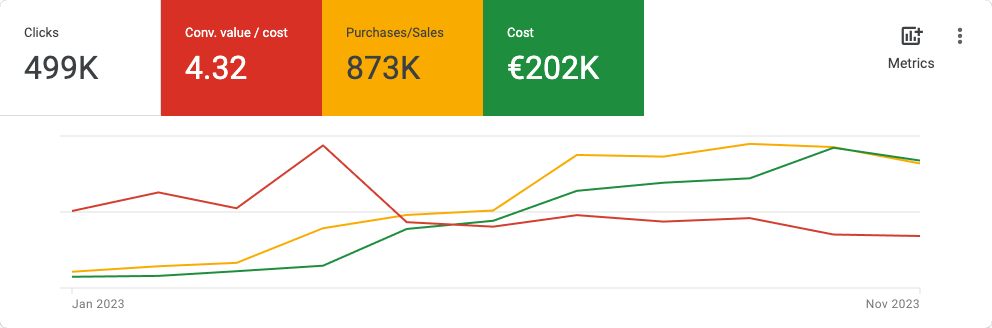
DTC eCommerce brand, feed & Merchant Center recovery.

€873Krevenue tracked
4.32×blended ROAS
Account performance outcome, figures anonymized

€202K in spend, feed-first fix, not a bidding trick.

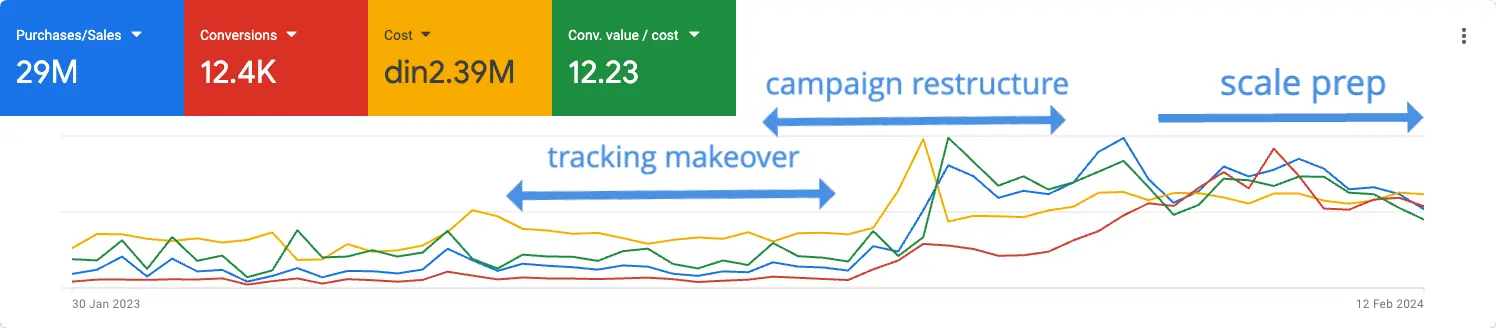
DTC eCommerce brand, PMax-heavy account.

-75%CPA
+163%ROAS
Account performance outcome, figures anonymized

Full restructure, results inside 60 days.

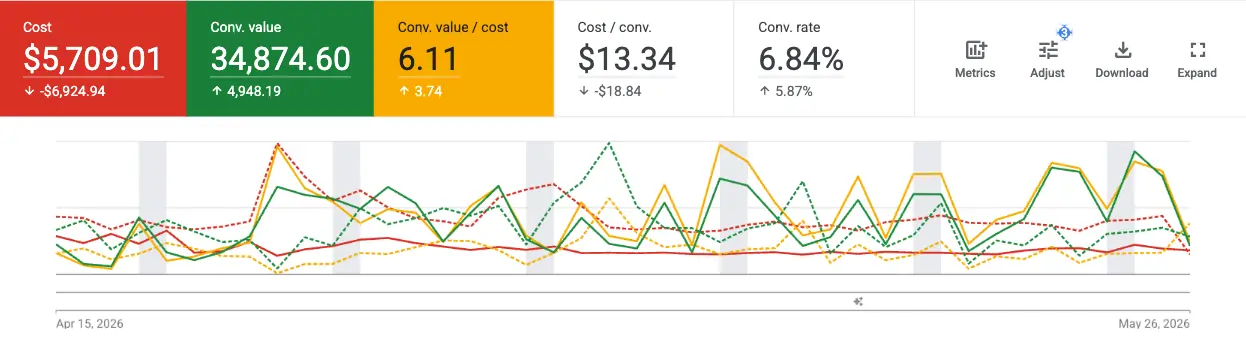
DTC eCommerce brand, previously stagnant account.

2.37× → 6.11×ROAS
$12.6K → $9.2Kmonthly spend, reduced
Account performance outcome, figures anonymized

Spend went down. Return went up.

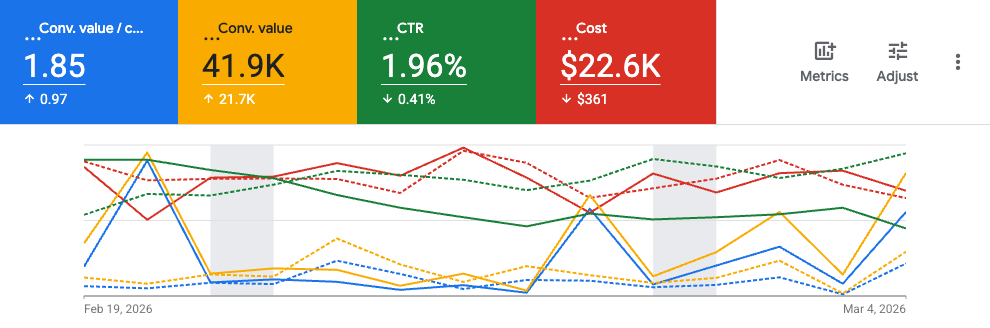
DTC eCommerce brand, strong repeat-purchase model. Breakeven target set on the first purchase alone.

0.65× → 1.85×ROAS, spend held flat
+$21.7Kin added conversion value
Account performance outcome, figures anonymized
Case study · experiment running

eCommerce store, Serbia. Half the budget was going to Display banners with zero conversions. Fixed first, then the bid strategy went into a controlled Google Ads experiment.

50%of spend on Display, 0 conversions
2 strategiessame weeks, same budget

Read the case study →

Setup · optimization · ROAS · tracking

Four things every eCommerce account asks about.

In this order. Start at bidding and the account stays stuck.

Setup & feed

How do I set this up so it doesn't leak from day one?

Merchant Center, feed, campaigns, in that order. Campaigns built on a feed Google can't read will spend confidently on the wrong products.

  • Domain claimed, policy pages complete, disapprovals cleared at the data level
  • Titles rewritten as brand + product + attribute, not the platform default export
  • Supplemental feed for the fields Shopify or WooCommerce fill badly
  • GTIN, brand, product type and custom labels populated for segmentation
Optimization

What changes once it's live?

Feed first, structure second, bidding last. Bidding is the fastest thing to change and the least likely to be the real problem.

  • Brand separated from non-brand so blended ROAS stops hiding the truth
  • PMax contained with brand exclusions and account-level negatives
  • Best sellers split from the long tail so the top SKUs stop subsidising dead weight
  • Search terms mined weekly, exclusions applied, testing budget kept in its own line

Two to four weeks to re-stabilise. Anything judged on three days is noise.

ROAS & bidding

What ROAS do I need to break even?

Good means above your breakeven, which is 1 divided by your gross margin. At 40% margin breakeven is 2.5×. At 20% margin it's 5×, and the same 3× is losing money on every order.

  • Breakeven ROAS calculated from your margins, not from Google's suggestion
  • Target ROAS set above breakeven by the margin you intend to keep
  • Repeat purchase factored in where the data supports it, ignored where it doesn't
  • Budget mapped by purpose: brand, non-brand, scaling, testing

Run your own number in the breakeven ROAS calculator before setting any target.

Tracking

Can I trust the number on the dashboard?

Usually not, at first. Brand traffic inflates the blended figure, conversions get double-counted between GA4 and Google Ads, and revenue gets booked before returns.

  • One primary purchase conversion, deduplicated, dynamic value from the order
  • GA4 and Google Ads reconciled and the remaining gap explained, not ignored
  • Consent mode v2 implemented correctly so modelling still works
  • Server-side moved to only after the client-side logic is provably correct

Smart Bidding on broken tracking optimises faithfully towards the wrong outcome.

Longer answers to the questions people type into Google, sorted by category, live on the Google Ads for eCommerce FAQ.

Last thing.

Stop running the account off the dashboard. Run it off your margin.

Book a Decision Audit

30 min, free. I reply within 24h.