Just starting
Launch clean from day one.
This is your complete checklist to launch clean from day one, without the expensive mistakes you pay for later.
The same list I use the first time I open someone else's account. Priority, reason, and the exact location in the interface. Run it yourself.
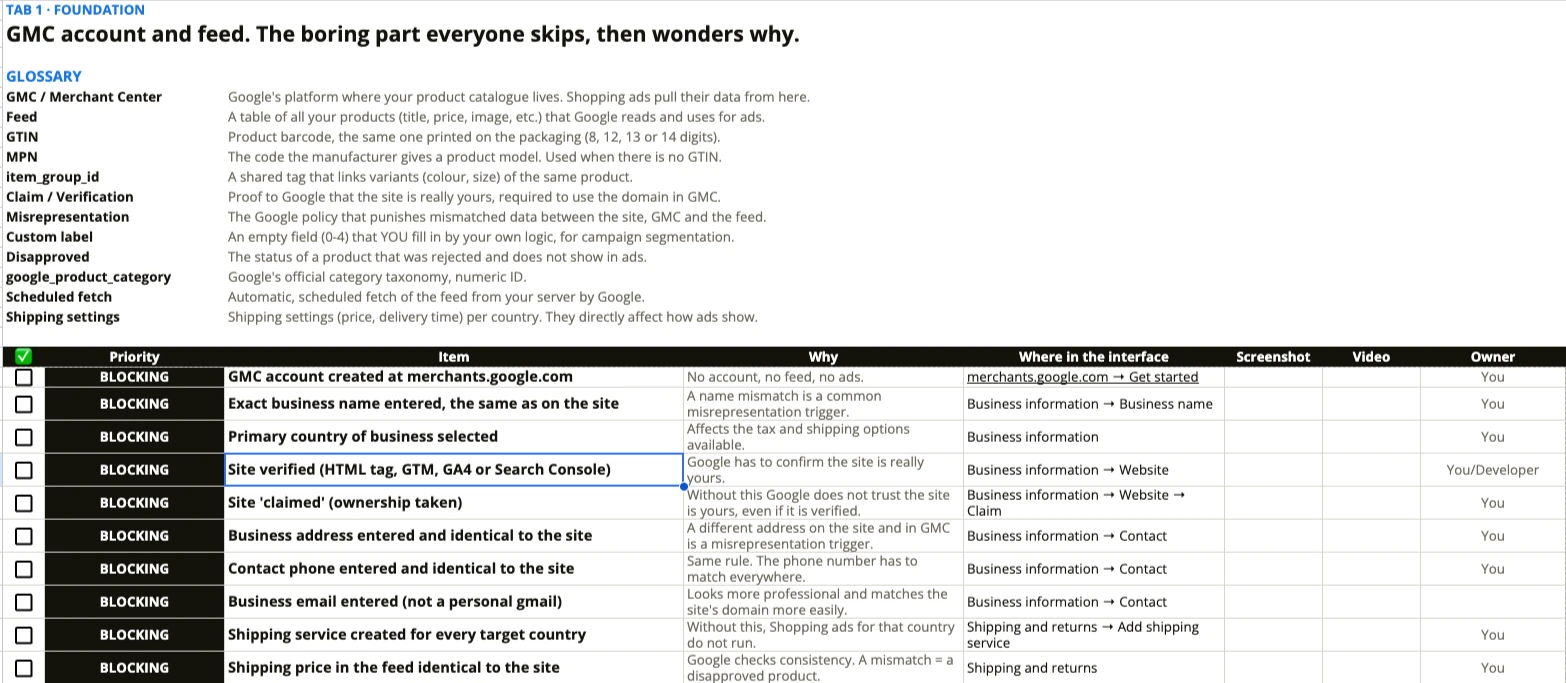
Recognise yourself in even one, and the sheet shows you exactly where to start.

This is your complete checklist to launch clean from day one, without the expensive mistakes you pay for later.
Account suspended, feed rejected, or campaigns simply not working. The sheet shows exactly where the holes are, in the order they get fixed.
You already have an agency doing this for you. Or you want theory, not concrete steps for your own account.
You watch, you assume you know.
Done or not done. No room to lie to yourself.
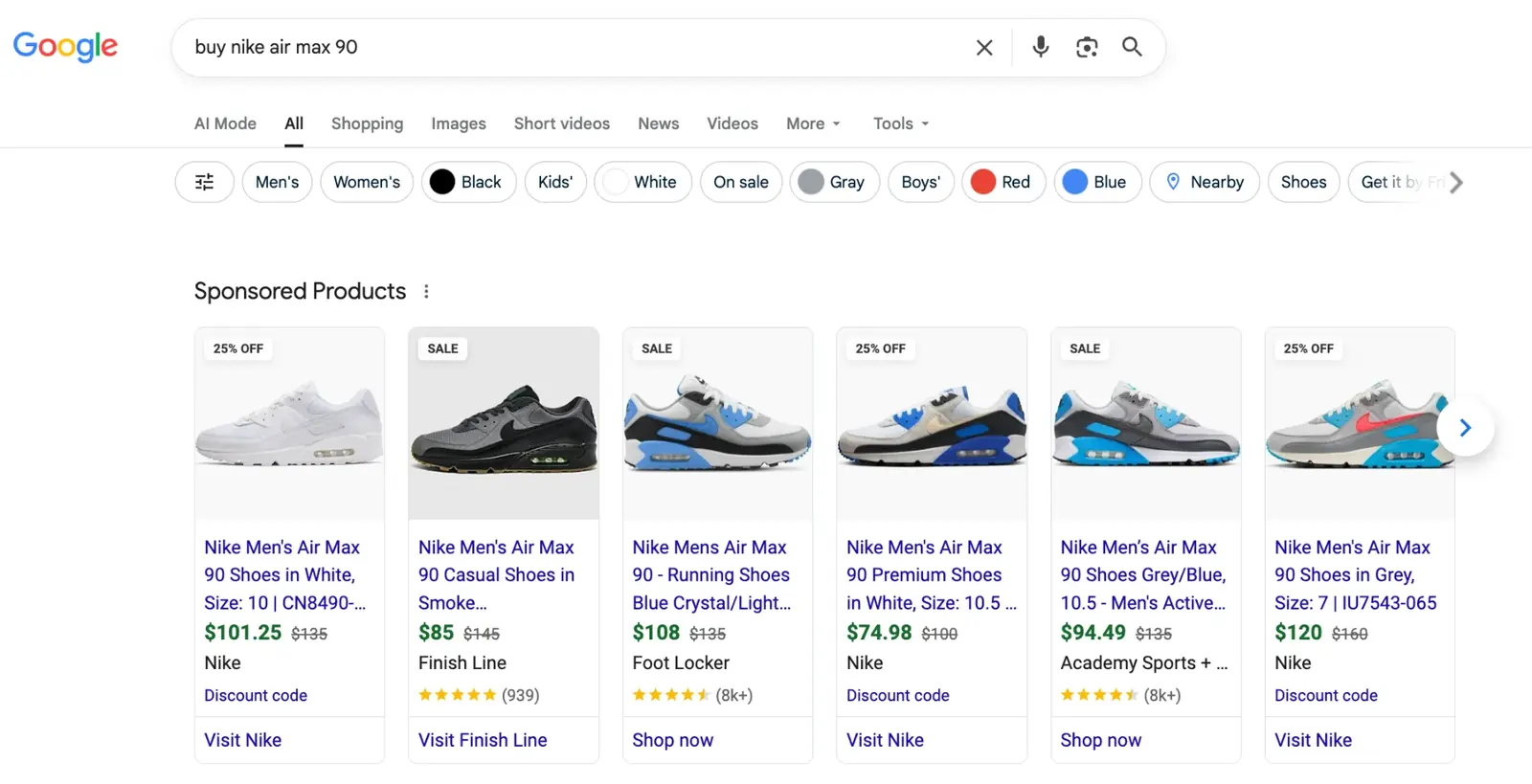
The feed is the campaign. Price, availability, title, everything has to match the site exactly. The sheet covers that step by step, from zero.
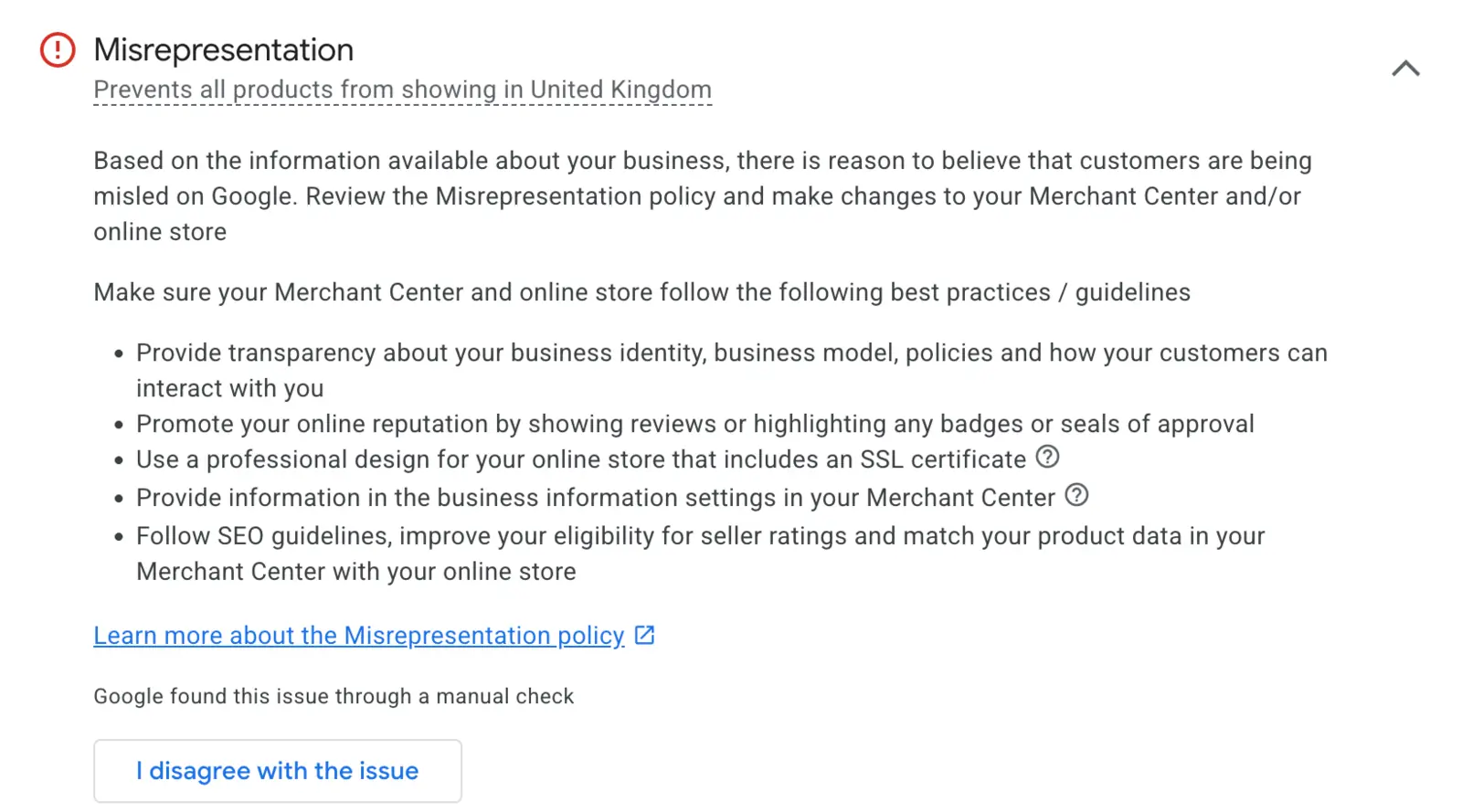
The biggest risk: misrepresentation. One mismatch between the site and the account, and you get suspended. Check your feed free.
Account setup, verification, shipping, return policy, the 9 required attributes, misrepresentation prevention. Plus a glossary up front, so you know what every term means before you touch a row.
Every remaining feed attribute in priority order, title optimisation, custom labels, 2026 AI readiness (product_detail, video_link).
Tracking checks before launch, campaign structure, bid strategy by spend level, brand and non-brand separation.
Weekly and monthly, for Search, Shopping and Performance Max. With a column for the last date checked.
GTIN, MPN, item_group_id, misrepresentation. Every term explained in the same sheet, so you never have to go and Google it.
Not 'go to settings'. It says: 'Business information → Website → Claim'. Open it, click it, done.
An 'Owner' column on every item. If you have a developer or a VA, they know exactly what is theirs.
Feed problems nobody diagnosed for months. After the fixes, one account went to €873,000 in revenue. This is not the best result I have ever seen. It is the typical pattern when a feed gets cleaned up.
A wrong update cycle quietly killed the signal Google uses for ranking. Simple fix, once found. Nobody looked, because "everything seemed normal".
Not one reason, a pile of small ones: wrong email in the policy pages, a GMC address that did not match the site, contact details different from the imprint. Together, a suspension that keeps coming back.
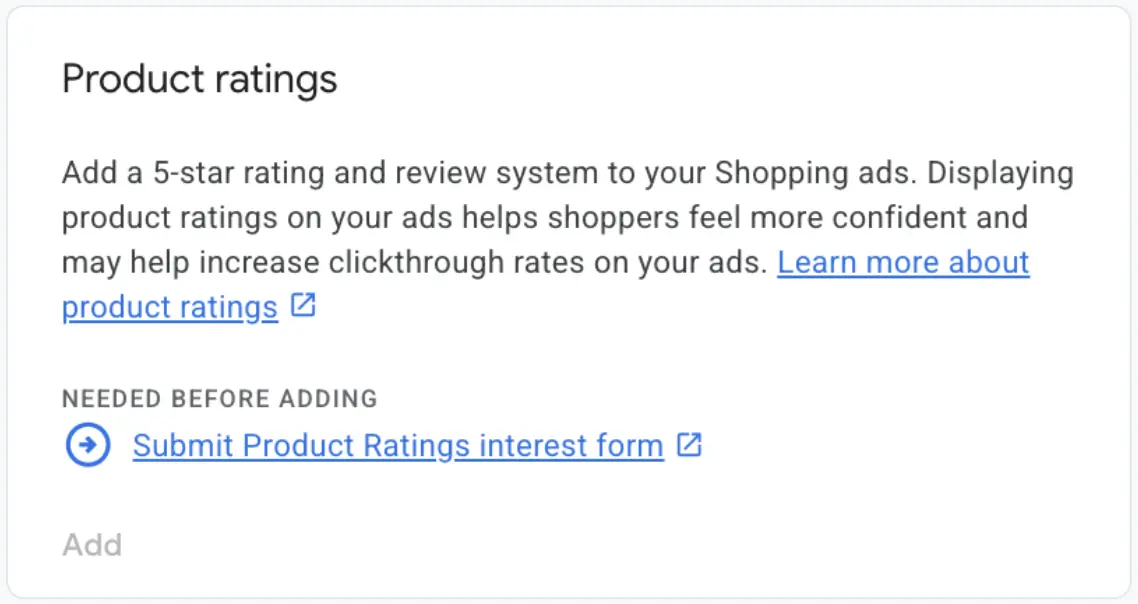
The client was convinced star ratings were showing. The Product Ratings program had never been activated. Competitors with stars, him without. A CTR gap he paid for every day.
The site loads fine in a browser. The server was blocking Google's crawler, treating it as an attack. Google sees a 404 and shuts down half the catalogue.
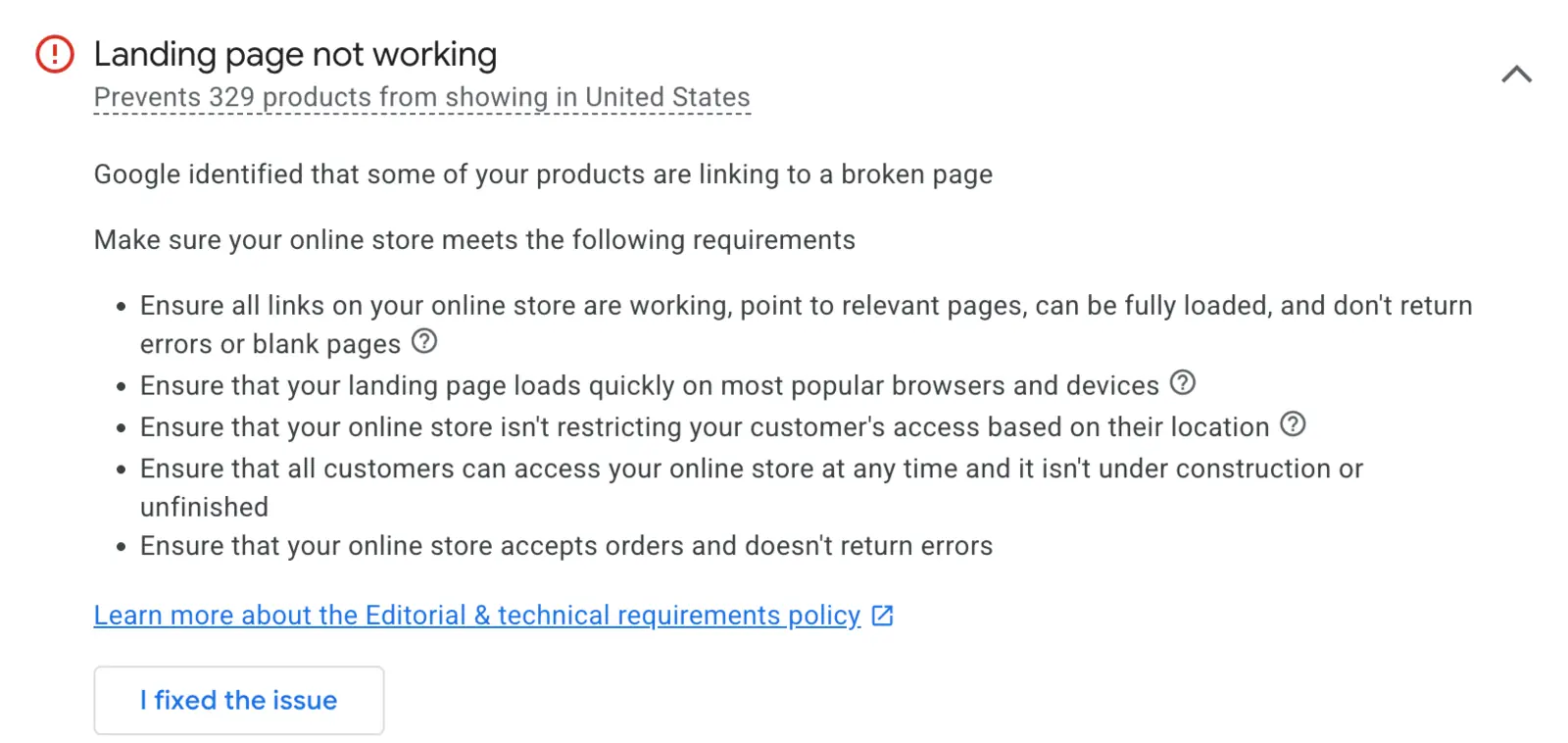
The feed update lags behind the site, or promotions and currencies are out of sync. Google disapproves the product. The client thinks campaigns "slowed down".
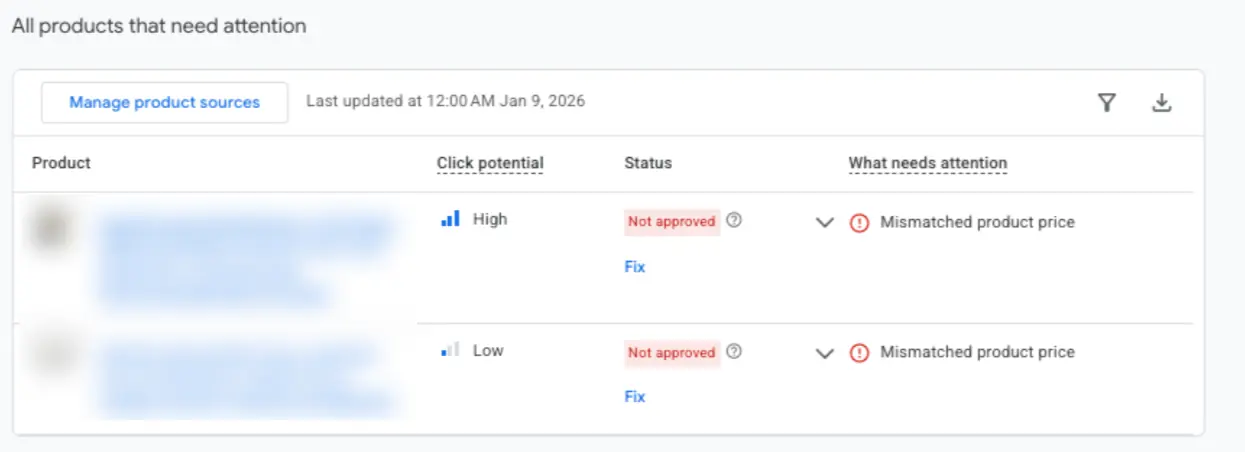
Every item in the sheet exists because one of these problems happened when it was missing. Clients anonymised. Numbers from real accounts.
You email me, you get instructions and the link the same day.
You open the sheet and start Tab 1.
Account and feed are on solid ground, you carry on at your own pace.

I kept answering the same questions over and over, one person at a time, in DMs. So I sat down and packed all of it into one place, with the exact location in the interface, not generic advice. This is that list.
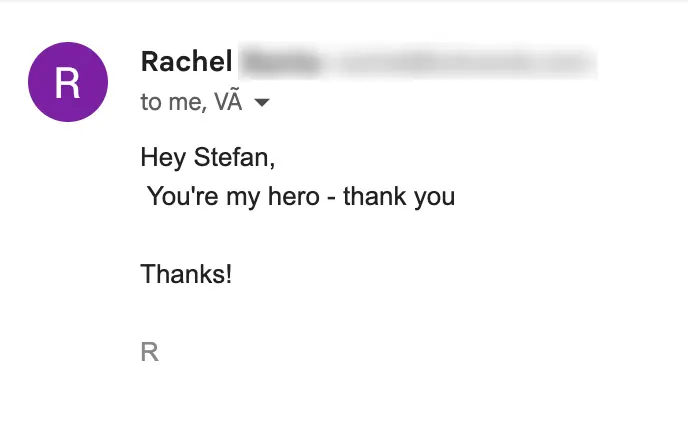
Rachel, eCommerce brand. I am not a hero. I just have everything Google asks for, ready. So can you.
For items that need explaining, you get a screenshot of that exact screen and a short instruction. Not 'go to settings', but exactly where to click.
Merchant Center → Business information → Website → Claim. If it says 'Claimed by another account', you remove the tag from the old account first, then claim.
Merchant Center → Shipping and returns → Add shipping service. Without this, products stay 'Pending' and never enter the auction.
The same product in three sizes gets the same item_group_id and a different id. Get that wrong and Google reads them as duplicates.
No deadline. Open it when you can, close it when a row is done.
Stuck on one item does not mean stuck on everything. Skip it, come back later.
You are not alone with a sheet and silence. I reply personally, usually the same day.
"I can guess my way through it." You can. But every account I have taken over thought it had everything covered, and every one had at least three holes. Not because the owner is careless, but because they guessed the order.
One-time. Lifetime access, including future updates.
You email me, I reply personally, same day.
The free Feed Audit tool checks your current product feed and tells you what is broken right now. No email gymnastics, no call.
Still not sure? Email me before you decide, not after.
The buyer sees the product image, the price and your store name, directly in Google search, before clicking anything.
You do not write ad copy. Google assembles the ad from the data already in your feed.